For Chief Compliance Officers
Scale AI adoption without sacrificing your compliance culture.
Define global governance rules, set model-specific guidelines, and review recorded AI activity to retain visibility while AI scales.
AI Model Control
Define compliance guidelines by teams, users, and models.
Set user- or team-specific defaults, and review AI usage by user.
AI Spend Observability
Retain critical compliance records.
Retain AI output history and enable AI traceability to satisfy external audit requirements.
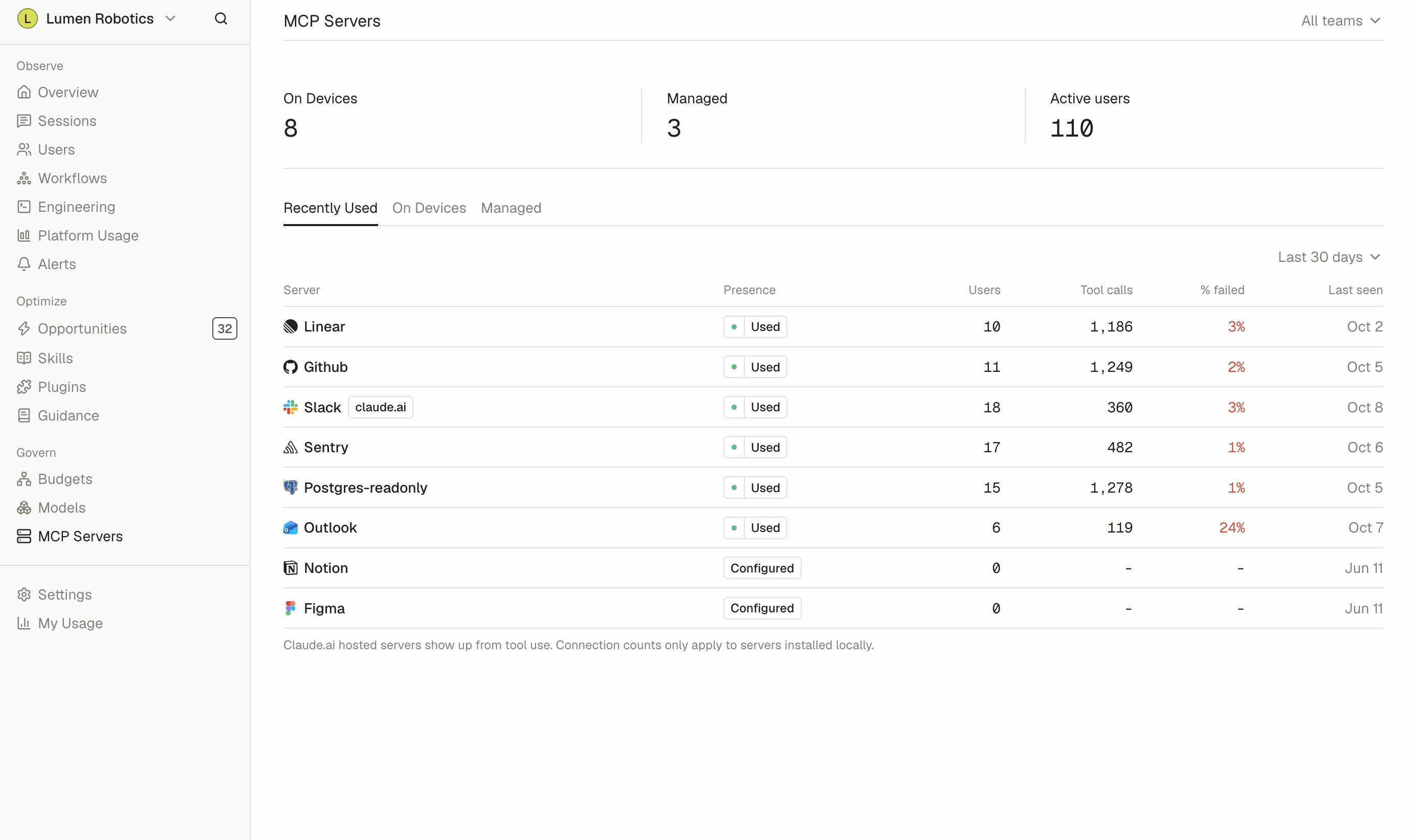
MCP Governance
Govern externally connected AI tools.
Catalog tool calls, MCP servers, and reported AI connections to monitor for potential data leakage or security risks.
Key features for Chief Compliance Officers
AI Model Control
Set default and allowed models for Claude Code and Codex on enrolled devices.
Learn more →Shared team guidance
Publish instructions for Claude Code, Cowork, and Codex on enrolled devices, with version history.
Retain usage records
Review captured AI activity alongside the versions, authors, and dates of published guidance changes.
Learn more →Skills and MCP inventory
Review reported skill usage and connections between AI tools and company systems on enrolled devices.
Learn more →Data collection controls and permissions
Configure prompt and full-session-content collection on enrolled devices, and restrict access through application permissions.
Learn more →
Frequently asked questions
See all FAQsWhat data does Tokenize collect?
Records of AI assistant work: which tool and model ran, when, how many tokens, what it cost, and what kind of task it was. Whether prompt text is included is your organization's choice, and it is a setting you control.
Can I restrict which models people use?
Yes. You can set model access rules for the organization. That is the usual way teams keep expensive frontier models for the work that needs them.
Who inside my company can see what?
Access follows the roles you set. Admins see the organization-wide view, individuals see their own. Directory sync keeps that accurate without manual cleanup.
Can we turn off prompt content entirely?
Yes. An organization-level setting prevents prompt text from being sent. Cost, token, and usage data remain available when prompt content is off.
Can we delete our data?
Yes. We have a documented deletion process that covers the usage records and the reports built from them. Ask us and we will walk you through the scope and the timeline.
Do you have a SOC 2 report?
Our latest security and compliance documentation, including our current SOC 2 status and available reports, lives in the Tokenize Trust Center. You can review the public materials there or request access to restricted documents.
- GDPR
- SOC 2 Type II
- SAML SSO
- SCIM Provisioning