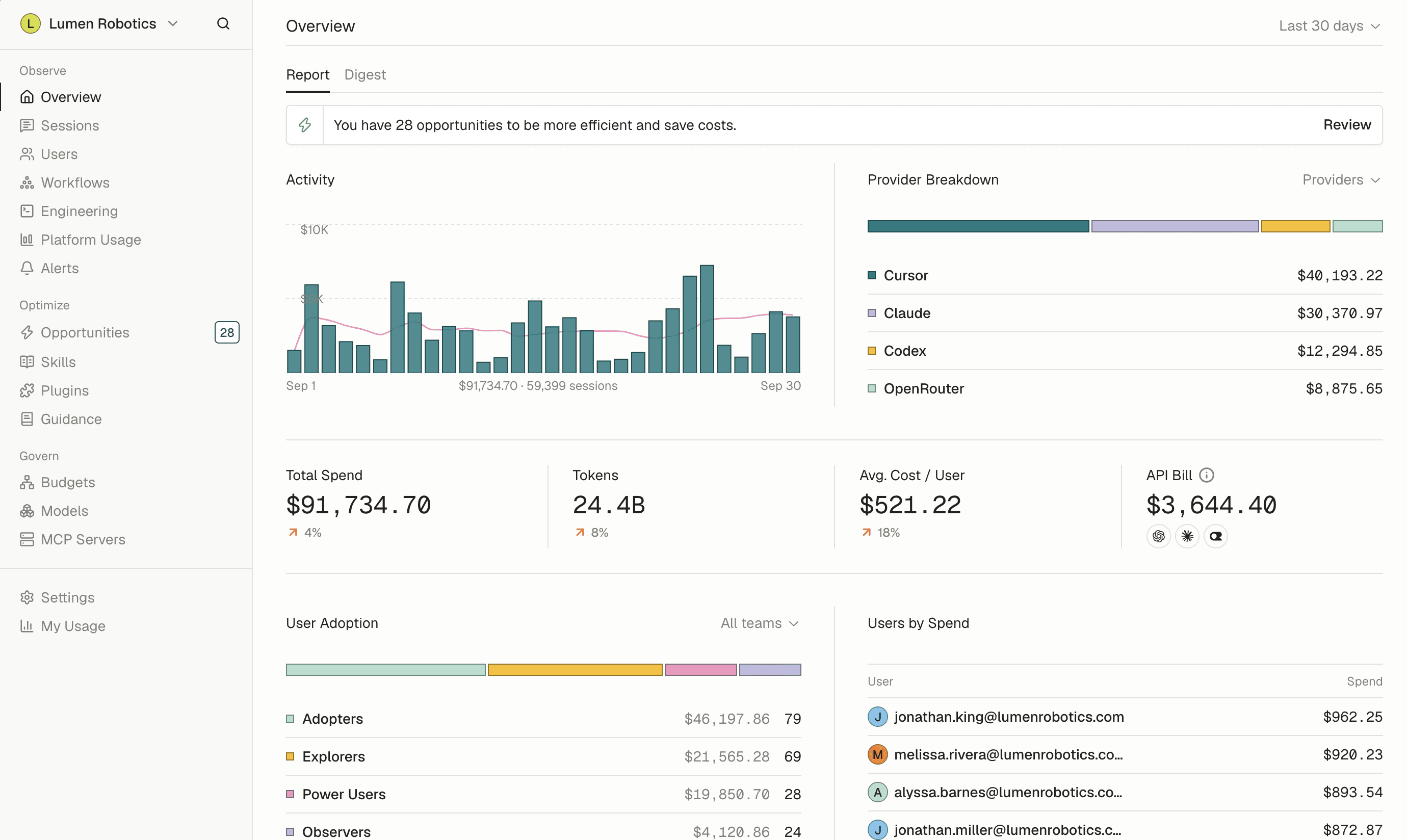
Grow your AI usage without losing control of token spend.

Tokenize helps growing teams understand where AI is being used, reduce unnecessary costs, and make sure tokens are going toward the right tasks.

  • 14-day free trial
  • Set up in minutes

Better AI spending starts with better usage. Without visibility or guidance, teams make costly choices that are hard to control.

Observe. See where AI is being used, what it costs, and which work creates the most value.

  • Usage by person, model, and session
  • Spend tracking and trends
  • Efficiency by user, model, and workflow
  • ROI visibility from work produced
  • Engineering usage stats
  • API key spend
  • Alerts
  • And more

Optimize. Turn usage insights into practical improvements so every team gets more from each token.

  • Automated optimizations
  • Auto-generated skills
  • Personalized coaching for every user
  • Model and prompt savings
  • And more

Govern. Set budgets, control model access, and protect sensitive data without slowing teams down.

  • Team budgets and forecasts
  • Model access controls
  • Sensitive data redaction
  • Shadow AI detection
  • And more

Extend your AI runway so your team can keep building.

Cutting access isn't the answer to rising AI costs. Tokenize helps your team keep experimenting and shipping while spend stays under control.

See your AI spend next to the work it produces.

Tokenize connects to your AI providers for usage and spend, and to tools like GitHub, Linear, and Slack for the work that usage turns into.

  • OpenAI
  • Claude
  • Claude Code
  • Gemini
  • Cursor
  • OpenRouter
  • Custom integrations
  • Slack
  • GitHub
  • Linear
  • Jira
  • Notion
  • Figma
  • Snowflake

Frequently asked questions

See all FAQs
How is this different from the usage dashboard my AI vendor already gives me?

Vendor dashboards show you that vendor, and only the teams on it. Tokenize shows every AI tool side by side, across every team, with one definition of cost. It also connects spend to the work it produced, which vendor billing pages do not do.

Will this slow my teams down?

No. The controls run in the background, and Tokenize emphasizes visibility over approval steps. People do not have to ask permission each time they use an AI tool.

How long does setup take?

You can create an organization and begin receiving data the same day. The timing of a full rollout depends on your device management process.

Can we try it before rolling it out to everyone?

Yes, and we recommend it. Start with a few teams, look at what comes back, then decide how wide to go.

Do you support SSO?

Yes. Single sign-on, plus directory sync so that people, teams, and groups stay in step with your identity provider as they join, move, and leave.

  • GDPR
  • SOC 2 Type II
  • SAML SSO
  • SCIM Provisioning

Results

What teams achieve when AI spend is optimized.

35%+

Lower AI bill within a month

$150k+

Saved in the first three weeks

4x

Output gap between top and median users

85%

Less spend on the most expensive model

<24h

To full spend visibility

Get better ROI on your AI investment.

Get Started