For CIOs
Grow AI adoption with a clear view of cost and value.
Understand where teams use AI, review the work behind the spend, and help people improve their model choices and workflows.
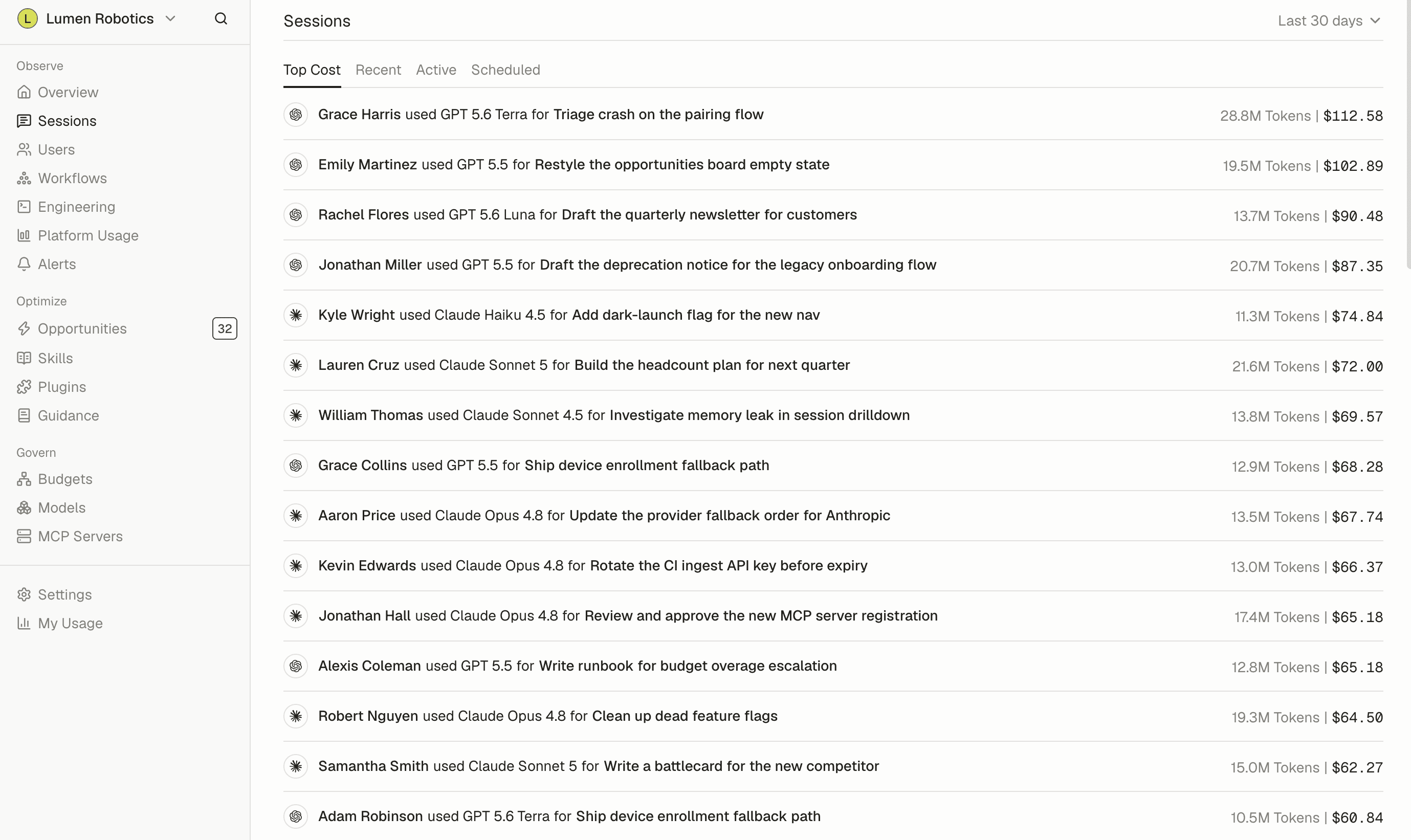
“For the first time, we can see how every department uses AI, not just engineering. It's made deciding where to invest next a much easier call.”
AI Spend Observability
Understand the cost of adoption.
Review usage and recorded spend by team, tool, and model. Plan budgets around how teams use AI.
AI ROI
Assess the work behind the investment.
Review recorded workflows and AI costs attributed to supported technical projects with team leads. Compare that work with your business priorities when deciding where to invest.
AI Coaching
Help teams evolve their AI practices.
Deliver private Slack tips based on each person's recorded sessions. Update shared instructions and supported model defaults as your team's practices change.
Key features for CIOs
AI Spend Observability
Understand recorded spending by team, person, tool, and model across connected sources.
Learn more →Manage AI token budgets
Set monthly team spending budgets, review forecasts, and receive threshold alerts.
Learn more →Workflow and project analytics
Review recorded AI workflows and supported Claude Code costs attributed to connected Linear projects.
Learn more →AI Model Control
Establish default and allowed models for Claude Code and Codex on enrolled devices, with team overrides.
Learn more →AI Coaching and shared guidance
Send private session-based tips through Slack when coaching is enabled. Publish updated instructions for Claude Code, Cowork, and Codex on enrolled devices.
Learn more →
Frequently asked questions
See all FAQsWhich teams does Tokenize cover?
All of them. Tokenize is an organization-wide platform, not a tool for one department. Usage rolls up by person, team, and department, so you get one picture of AI across the company and can still drill into any part of it.
Who inside a company owns Tokenize?
Tokenize is usually owned by whoever is accountable for AI across the business. That may be an AI or platform lead, IT, finance, or operations. The owner is typically responsible for explaining what the company spends on AI and what that spending produces.
Can I restrict which models people use?
Yes. You can set model access rules for the organization. That is the usual way teams keep expensive frontier models for the work that needs them.
What data does Tokenize collect?
Records of AI assistant work: which tool and model ran, when, how many tokens, what it cost, and what kind of task it was. Whether prompt text is included is your organization's choice, and it is a setting you control.
Do you support SSO?
Yes. Single sign-on, plus directory sync so that people, teams, and groups stay in step with your identity provider as they join, move, and leave.
How do we tell our teams about it?
Explain what Tokenize does and whether prompt content is enabled. People should understand that Tokenize is intended to measure how the company uses AI, not to monitor individual productivity.
- GDPR
- SOC 2 Type II
- SAML SSO
- SCIM Provisioning