For CROs
Help sellers use AI and stay focused on customers without breaking the token bank.
Find repeated work worth simplifying, share practical AI instructions, and help reps improve while they work.
“AI is part of how every rep preps for calls now. Tokenize lets us keep that going without the bill getting out of hand.”
AI Cost Savings
Find repeated work worth simplifying.
Review recorded workflows and recurring tasks with the team. Decide where reusable instructions, a skill, or a scheduled task could help with work such as account research, meeting preparation, and follow-up.
AI Spend Observability
Share practices reps can reuse.
Review power users' workflows and session examples with them. Turn the practices your team chooses into shared instructions for sales work.
AI Coaching
Help reps improve while they work.
Send short, private Slack tips about their own recent AI sessions, such as when to start fresh or use reusable instructions.
Key features for CROs
Workflow and adoption analytics
Identify power users and review the recorded types of work and sessions behind their usage.
Learn more →AI Cost Savings
Review findings about repeated work, costly session habits, and model choices with the sales team.
Learn more →Define sales best practices
Document your team's chosen instructions for account research, meeting preparation, and follow-up.
Learn more →Shared team guidance
Publish sales-team instructions to Cowork, Claude Code, and Codex on enrolled devices, with version history.
AI Coaching
Send session-based private tips through Slack when your organization enables coaching.
Learn more →
Frequently asked questions
See all FAQsHow does this help people who are new to AI tools?
The usage data shows which approaches are working well inside your company. Experienced users receive suggestions based on their own habits, while newer users can learn from practices that have already worked for their colleagues.
Can people see their own usage?
Yes. Individuals see their own activity and their own suggestions. In our experience that is where most of the improvement comes from, because people adjust once they can see what their habits cost.
Does Tokenize rank or score employees?
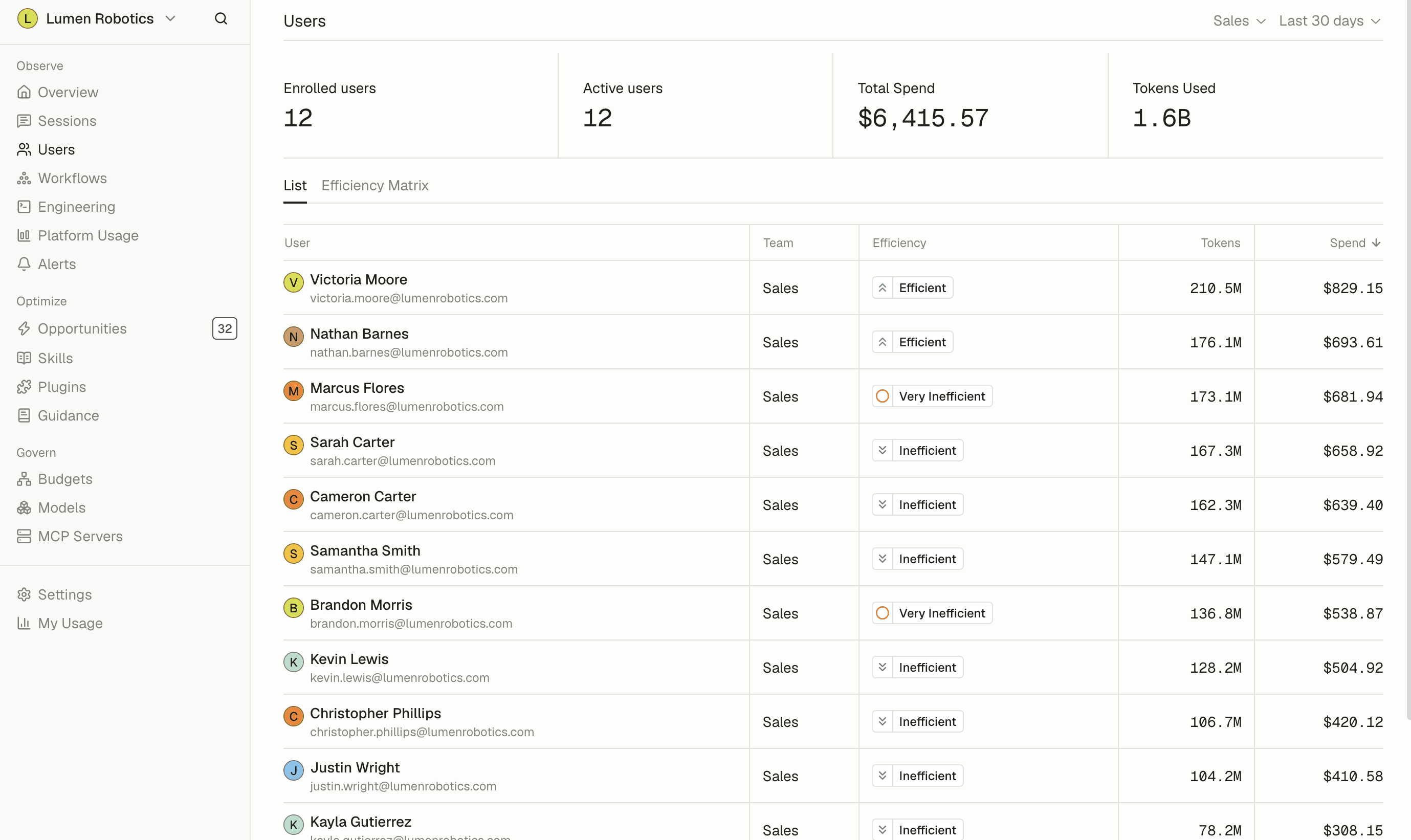
Not on productivity. Tokenize doesn't measure how much work someone gets done, and it doesn't rank people by output. Admins do see an efficiency tier for each person, from Very Efficient to Very Inefficient, based on habits that waste AI spend over the last 28 days, along with the habits worth changing. It shows where coaching or a settings change would help, not who is best at their job.
Will this slow my teams down?
No. The controls run in the background, and Tokenize emphasizes visibility over approval steps. People do not have to ask permission each time they use an AI tool.
What does optimize mean in practice?
Tokenize identifies repeated work, oversized prompts, and tasks where a less expensive model would work just as well. It gives people specific suggestions based on their usage instead of simply telling them to use less.
Can we try it before rolling it out to everyone?
Yes, and we recommend it. Start with a few teams, look at what comes back, then decide how wide to go.
- GDPR
- SOC 2 Type II
- SAML SSO
- SCIM Provisioning