For CTOs
Unlock engineering productivity without an exploding AI budget.
Connect AI spend to project work, share AI best practices, and visualize how your team is deploying tokens before approving each token request.
“We finally know which projects our Claude Code spend goes to. Instead of debating the AI budget, we spend that time sharing the workflows our best engineers already use.”
AI ROI
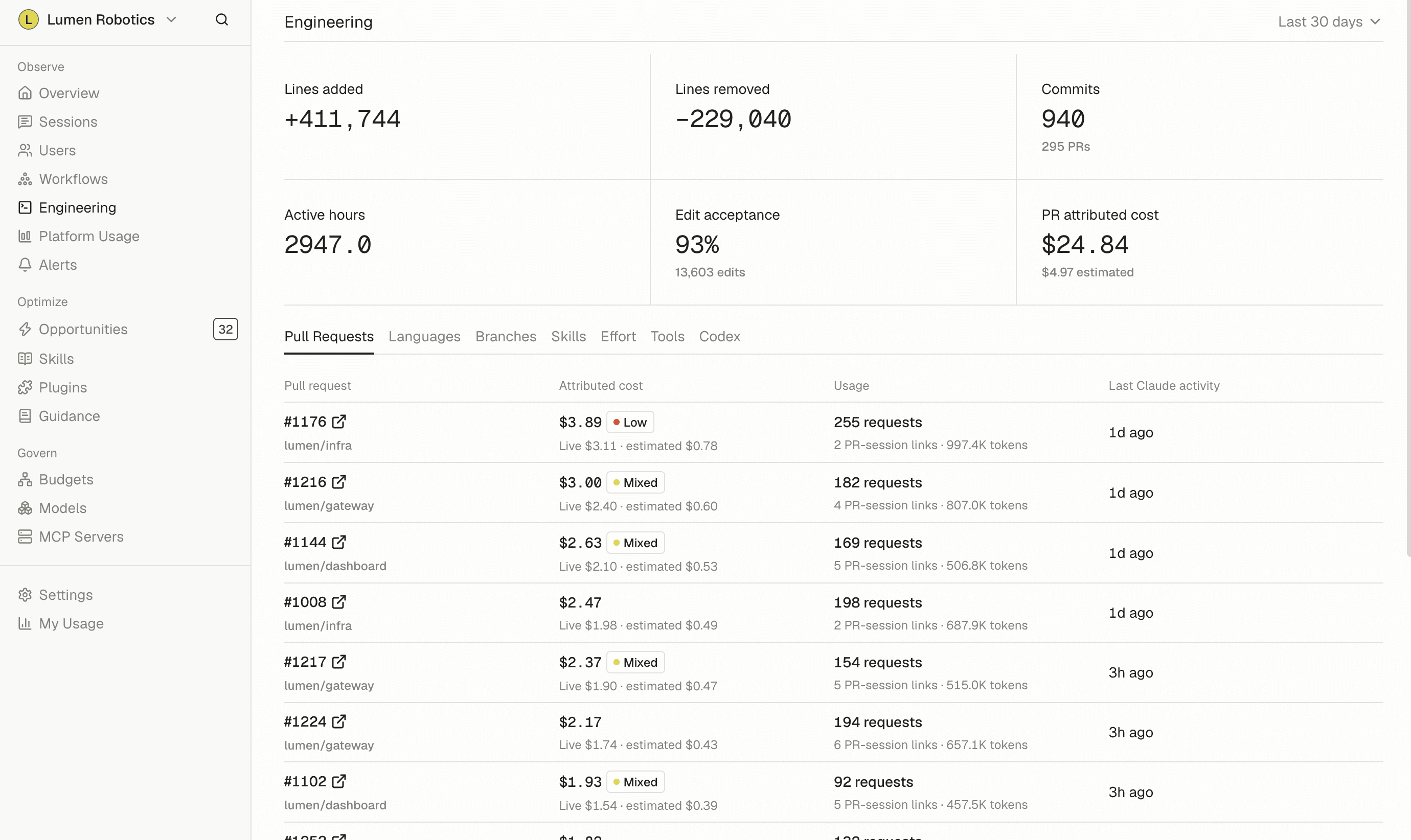
Connect AI usage to product deliverables.
Review how Claude Code sessions map to connected projects via integrations with Linear or Jira and help engineering leads assess how AI usage drives product and delivery priorities.
AI Coaching
Share useful engineering practices.
Identify power users and review their recorded workflows. Turn the practices your team chooses into reusable instructions that other engineers can use in their AI tools.
AI Cost Savings
Reduce avoidable AI costs.
Identify budget waste from long-running sessions, repeated context, and model choices to help engineers build efficient AI habits.
Key features for CTOs
Project spend attribution
Review supported Claude Code session costs associated with Linear or Jira projects, including the contributing sessions and reported coverage.
Learn more →Workflow and adoption analytics
Identify power users and review the recorded types of work, sessions, and tools behind their usage.
Learn more →Shared team guidance
Publish engineering instructions for Claude Code, Cowork, and Codex on enrolled devices, with version history.
AI Cost Savings
Review findings about long-running sessions, repeated context, model choices, and recurring tool failures.
Learn more →AI Spend Observability and budgets
Track recorded spend by team, person, and model. Set monthly team spending budgets, monitor forecasts, and receive threshold alerts.
Learn more →
Frequently asked questions
See all FAQsWhat AI tools does Tokenize support?
Claude and Claude Code, OpenAI Codex, and Cursor today. We add tools as customers adopt them, so ask us about anything your teams use that is not on that list.
Does Tokenize read my files or source code?
No. We do not scan, copy, or store your documents or your repositories.
Can my manager read my prompts?
That depends on your organization's prompt content setting. When prompt content is off, Tokenize records usage details without recording the text. When it is on, admins can review prompt content to investigate usage patterns. Sensitive values such as passwords and API keys are redacted before anything is sent.
Does Tokenize rank or score employees?
Not on productivity. Tokenize doesn't measure how much work someone gets done, and it doesn't rank people by output. Admins do see an efficiency tier for each person, from Very Efficient to Very Inefficient, based on habits that waste AI spend over the last 28 days, along with the habits worth changing. It shows where coaching or a settings change would help, not who is best at their job.
How do we install it?
You will need API keys from each AI provider you want to connect. A small background agent also runs on each person's laptop, on macOS and Windows. Most companies deploy it through their device management tooling, so people do not have to install it by hand. During a trial, people can install it themselves instead.
How soon will we see useful results?
Usage data appears immediately. Patterns such as repeated work and model mismatches usually become clear within the first couple of weeks.
- GDPR
- SOC 2 Type II
- SAML SSO
- SCIM Provisioning