For Marketing Agencies
Scale your agency's output with shared AI skills and workflows.
Help strategy, creative, and account teams adopt AI, see how they use it, and connect costs to client deliverables.
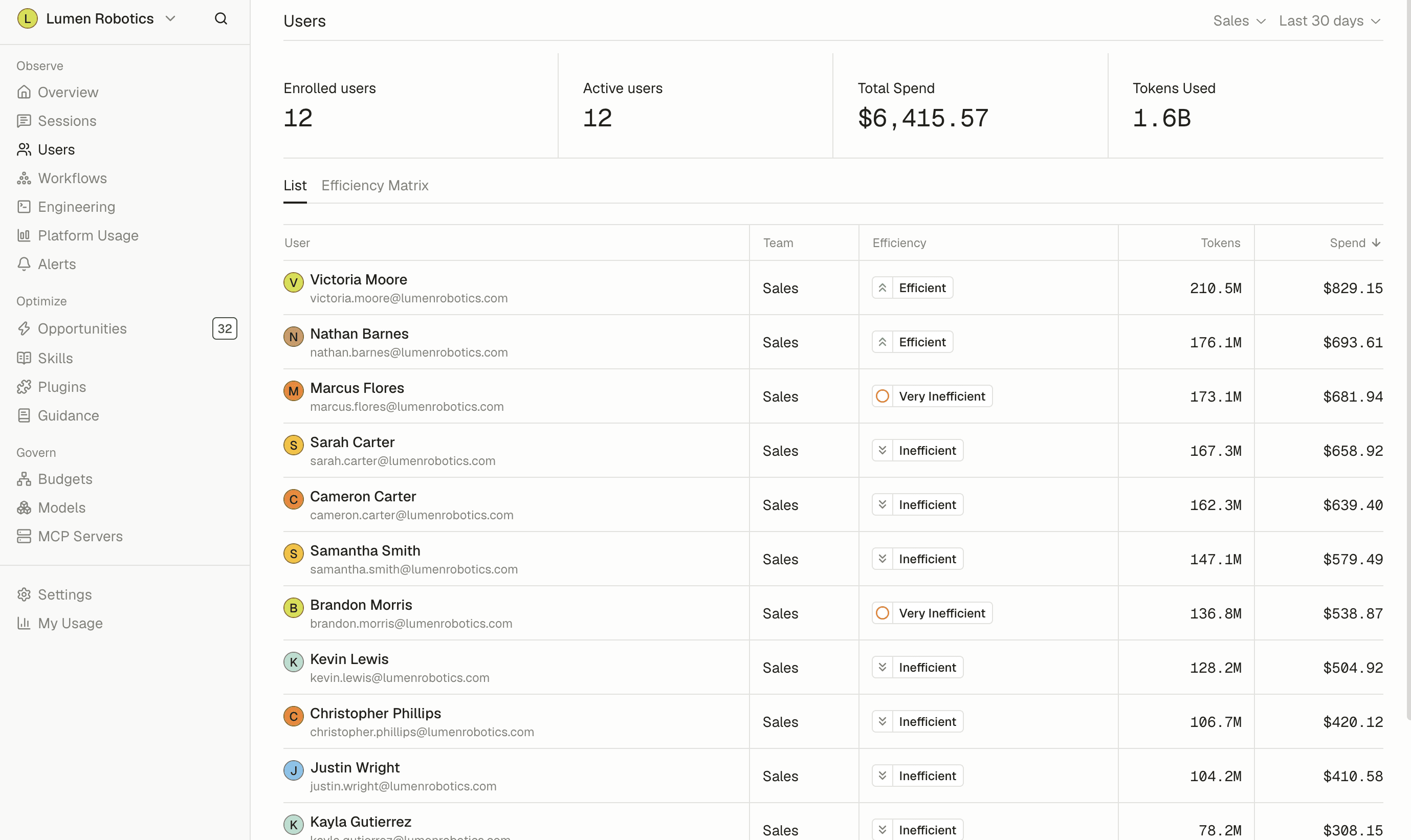
Bring every team up to speed on client work.
AI Spend Observability
Help more people use AI.
See adoption across your agency by team and person, and find the teams that need help getting started.
Learn about observability →AI Coaching
Improve recurring client work.
Share instructions for research, writing, and reporting so every team starts from a useful baseline.
Learn about coaching →AI ROI
Understand the costs behind delivery.
Review team spending, connect costs to client deliverables, and investigate expensive sessions or repeated revisions.
Learn about AI ROI →
Use cases for marketing agencies
Where strategy, creative, and account teams put Tokenize to use.
Strategy and research
Share guidance for audience research, competitor analysis, and campaign planning.
Creative and content
Give teams instructions for brand voice and fact-checking, and review spending on drafts and revisions.
Account management
Help account teams use AI for meeting prep, brief summaries, and client updates.
New business
Share guidance for prospect research, proposal drafting, and pitch preparation.
Reporting
Review the recurring AI work behind campaign summaries and client presentations.
Learn more →
Frequently asked questions
See all FAQsWhich teams does Tokenize cover?
All of them. Tokenize is an organization-wide platform, not a tool for one department. Usage rolls up by person, team, and department, so you get one picture of AI across the company and can still drill into any part of it.
Can I compare one team to another?
Yes. Tokenize measures usage consistently across tools and teams, which makes the comparison reliable. Vendor dashboards are harder to compare because each one reports usage differently.
How does this help people who are new to AI tools?
The usage data shows which approaches are working well inside your company. Experienced users receive suggestions based on their own habits, while newer users can learn from practices that have already worked for their colleagues.
Does it tell me whether the spend was worth it?
It connects spend to output, so you can see what a piece of work cost and what it produced. You still make the judgment call. We give you the evidence to make it with.
Will this slow my teams down?
No. The controls run in the background, and Tokenize emphasizes visibility over approval steps. People do not have to ask permission each time they use an AI tool.
How long does setup take?
You can create an organization and begin receiving data the same day. The timing of a full rollout depends on your device management process.
- GDPR
- SOC 2 Type II
- SAML SSO
- SCIM Provisioning